Six independent sine operators
Each operator has ratio or fixed-frequency mode, tuning, level, velocity response, key tracking, ADSR and self-feedback.
 lowquo
project 02 / in development
A six-operator FM synthesizer with 32 algorithms, 12 playable voices and a signal path you can see while you edit.
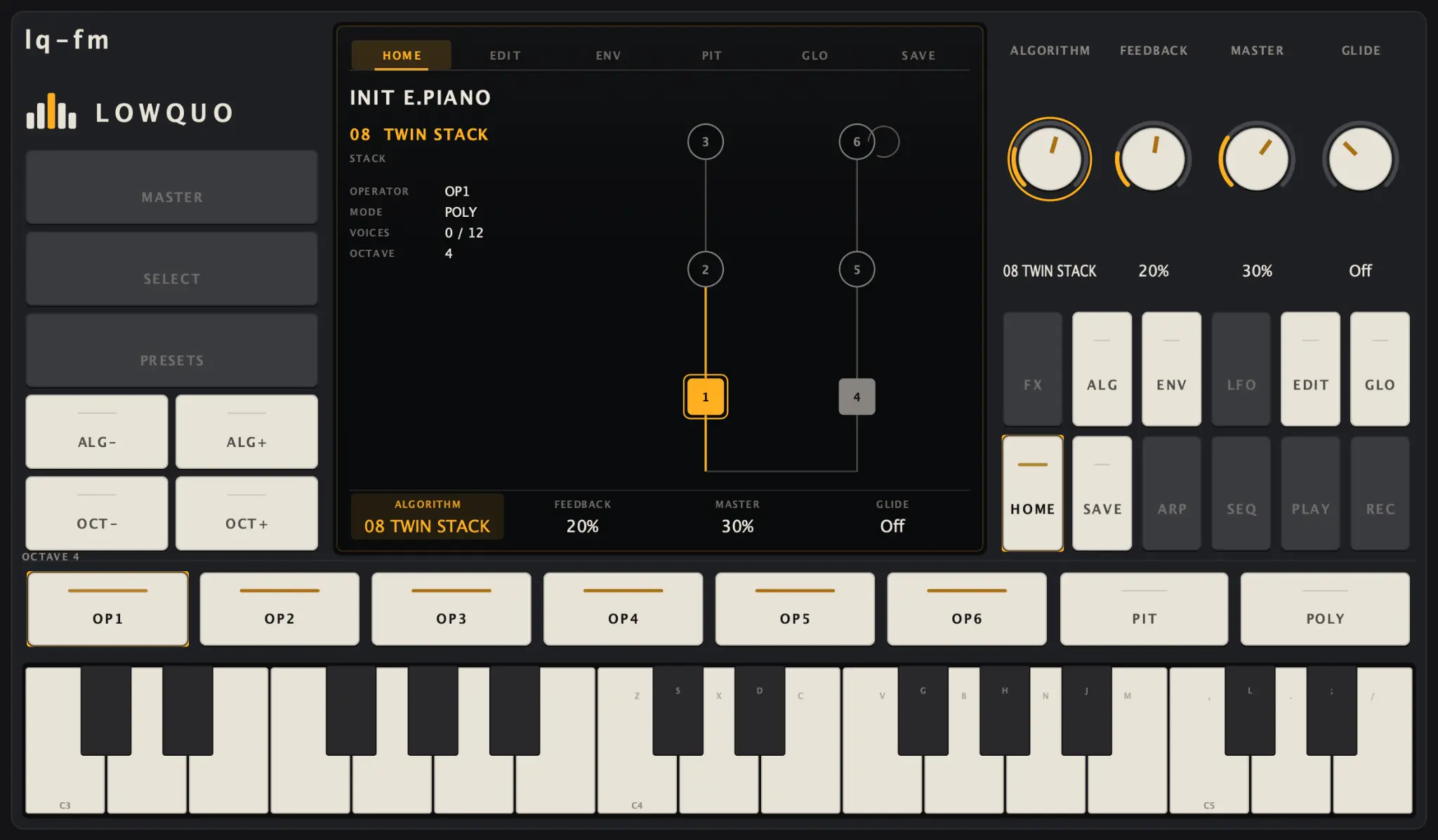
what works today
Each operator has ratio or fixed-frequency mode, tuning, level, velocity response, key tracking, ADSR and self-feedback.
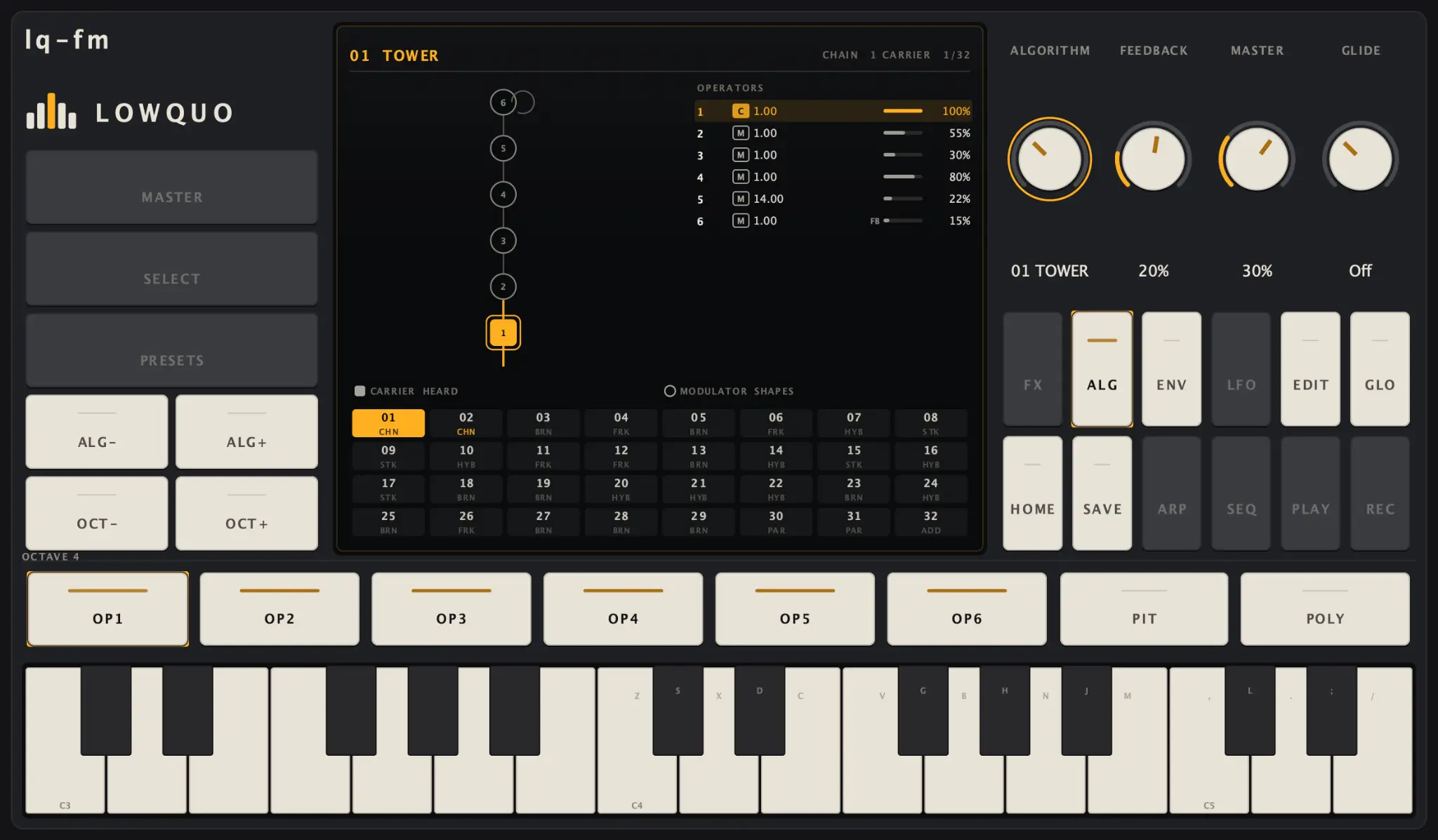
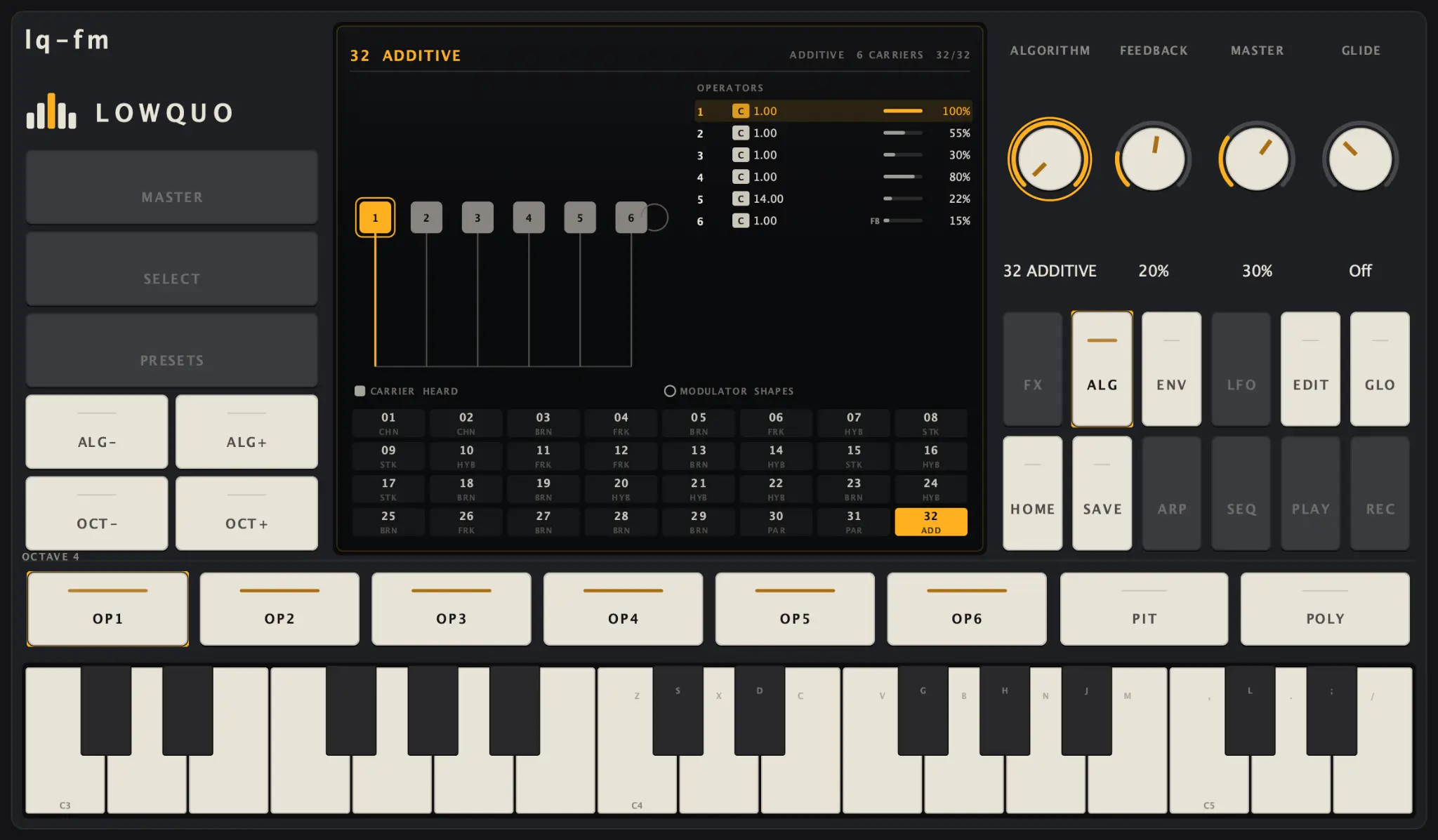
The catalogue runs from Tower—a single carrier under five modulators—to Additive, with six carriers and no modulation.
Hold a chord while you browse algorithms or edit a sound. Parameter and algorithm changes are smoothed so the result stays playable.
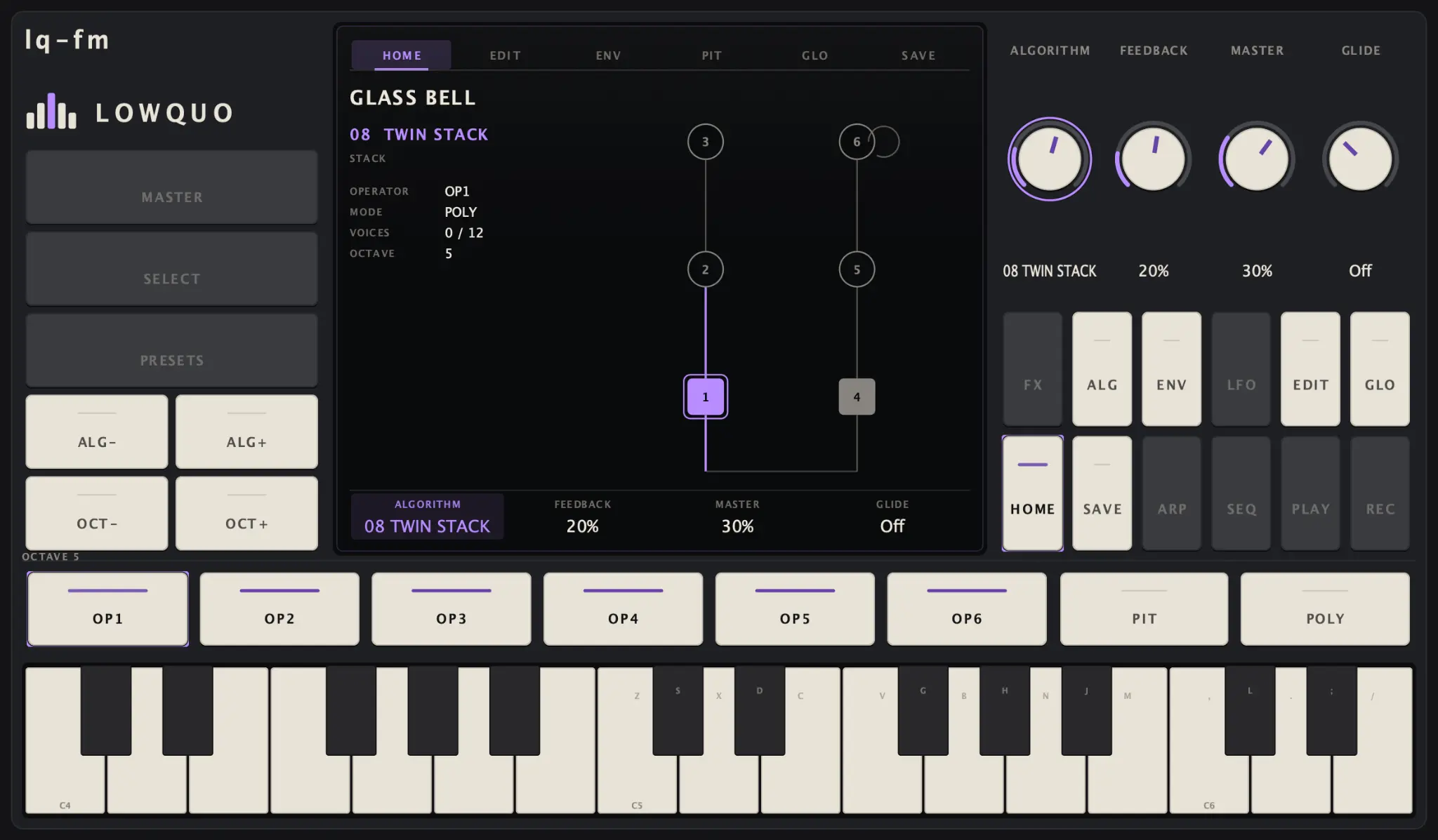
The same four controls change with the page you are on. The current operator and its place in the signal path stay visible.
Amber, Mint, Ice, Violet, Red, Pink, Lime and White change the highlights without recolouring the whole instrument.
Saved, edited and unsaved states are explicit. A damaged patch file leaves the sound already in the instrument untouched.
algorithms
Press A to open all 32 algorithms. Moving through them auditions each routing immediately, while the musical keys remain active. The large diagram shows where every operator is going.
operator editing
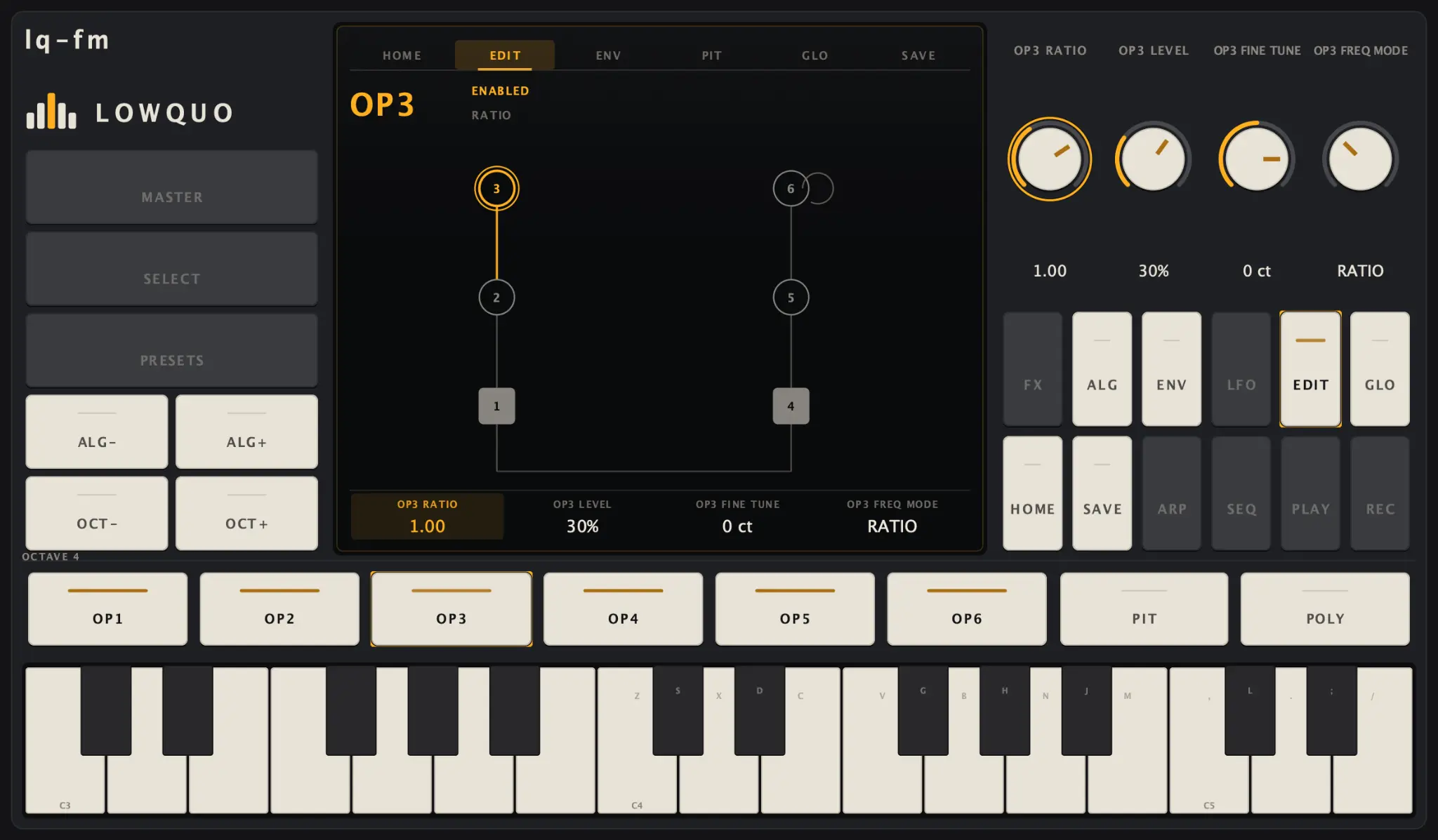
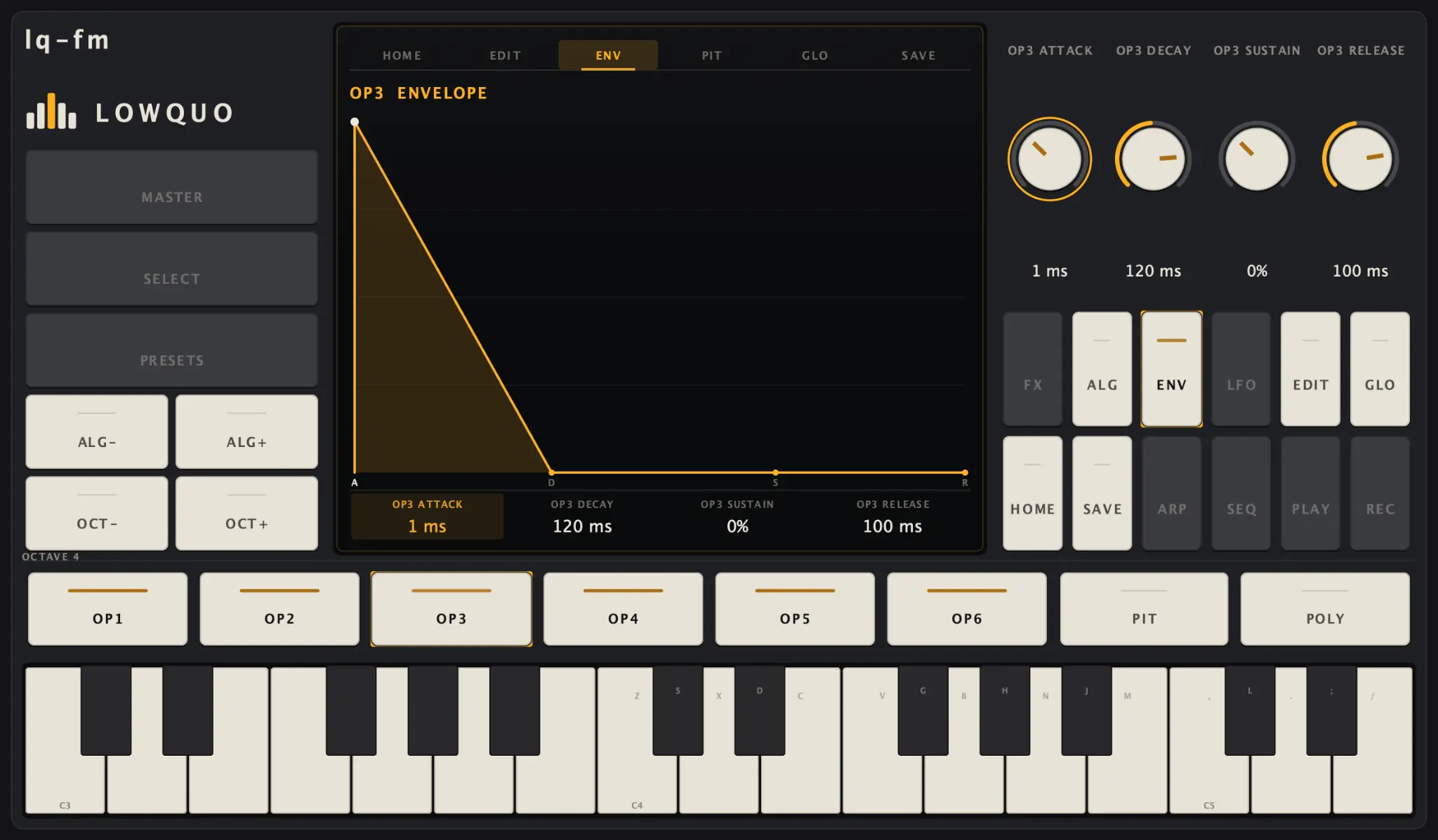
The edit page keeps ratio, level, velocity and key tracking together. The envelope page replaces numbers with the ADSR shape, so you can see the contour you are changing.
keyboard control
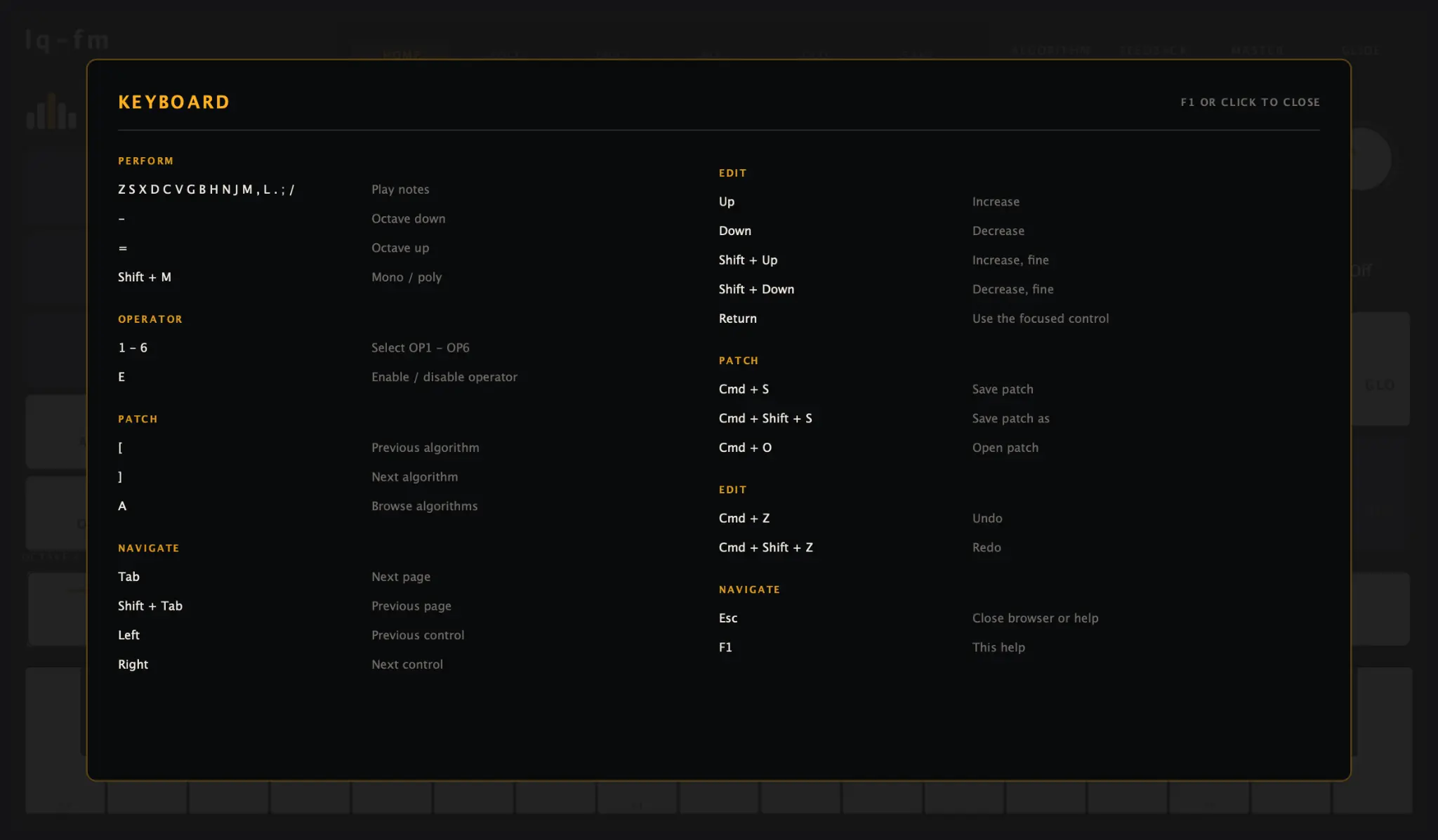
Press F1 anywhere to see the controls. The help screen is generated from the same key table as the actual bindings, so the instructions cannot quietly drift away from the instrument.
patches and preferences
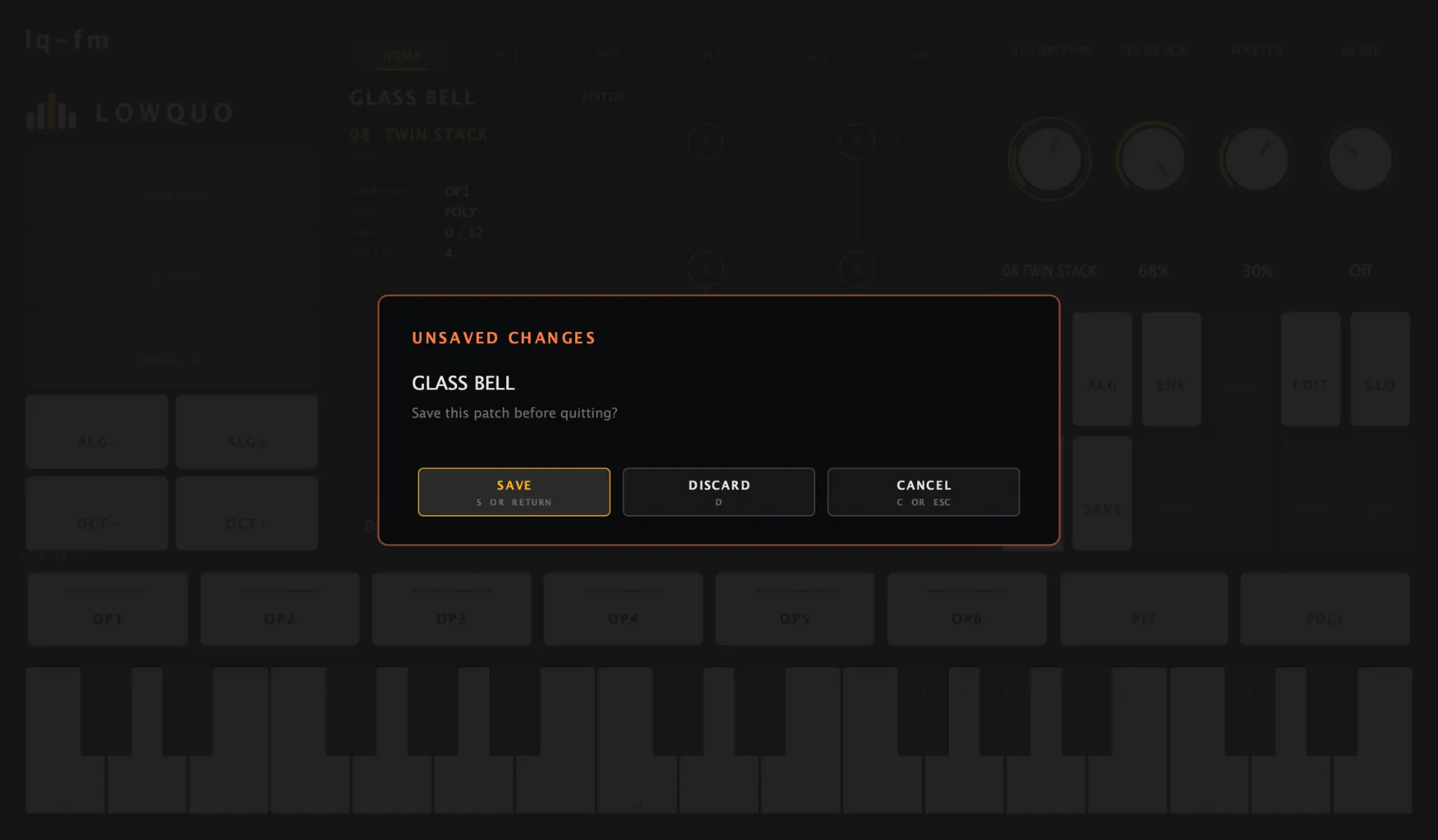
Patches have clear saved and edited states, and closing with changes gives you Save, Discard and Cancel. Relaunching restores the last patch along with the window, octave and accent colour.
panel
The panel is working from end to end: play it, browse all 32 algorithms, edit an operator and its envelope, save the patch, close the app and pick up where you left off. The screenshots above are the current instrument, not mockups.
sound
I spent the day smoothing the bits you should never notice. Levels, tuning and modulation now move at their own natural pace, envelopes can change mid-note, and switching algorithms fades between the old and new sound instead of clicking.
algorithms
The whole set is in now. I ordered them so the sounds gradually move from dense modulation stacks to clearer, more open structures. The first eight keep their original identities, so old patches will still work.
editing
The editor and audio engine now pass changes between them safely, with proper undo for grouped edits. A fairly brutal stress test found a timing bug here, which is exactly the sort of thing I want to catch before there is an interface on top.
first sound
Six operators, twelve voices and the first handful of algorithms produced the first electric-piano patch. Notes also begin at the exact moment MIDI arrives, rather than waiting for the next block of audio.
lq-fm updates
lq-fm is playable, but there is no public download yet. Join the list and I’ll get in touch when the first useful beta build is ready.